Daikin Air Conditioner Remote Control Manual: A Comprehensive Guide
This manual details Daikin remote operation‚ troubleshooting‚ and error decoding‚ covering universal remote programming and advanced features like the BRC1C62 controller.
Daikin air conditioners are renowned for their efficiency and advanced features‚ and a crucial component of user experience is the remote control. These devices offer convenient command over your indoor climate‚ enabling adjustments to temperature‚ fan speed‚ and operational modes without direct access to the unit itself. Understanding your Daikin remote is key to maximizing comfort and energy savings.
Modern Daikin remotes aren’t simply on/off switches; they’re sophisticated interfaces capable of displaying error codes for self-diagnosis and facilitating advanced settings like timers and wireless control. Compatibility extends to universal remotes‚ though specific programming is often required using Daikin-specific codes. This guide will navigate you through the intricacies of Daikin remote controls‚ ensuring optimal performance and troubleshooting capabilities.
Types of Daikin Remote Controls
Daikin offers a variety of remote control models tailored to different air conditioner series and functionalities. The standard infrared (IR) remote is the most common‚ utilizing line-of-sight communication with the indoor unit. More advanced models‚ like the BRC1C62 wireless remote controller‚ provide enhanced features and a more detailed display‚ including malfunction code readings.
The ARC433A series represents another type‚ focusing on temperature code displays for precise control. Furthermore‚ compatibility with universal remotes introduces another category‚ requiring specific Daikin codes for proper operation. Understanding which remote type you possess is crucial for accurate troubleshooting and utilizing its full potential. Each model offers a unique set of capabilities‚ impacting user experience and diagnostic options.
Understanding the Remote Control Layout
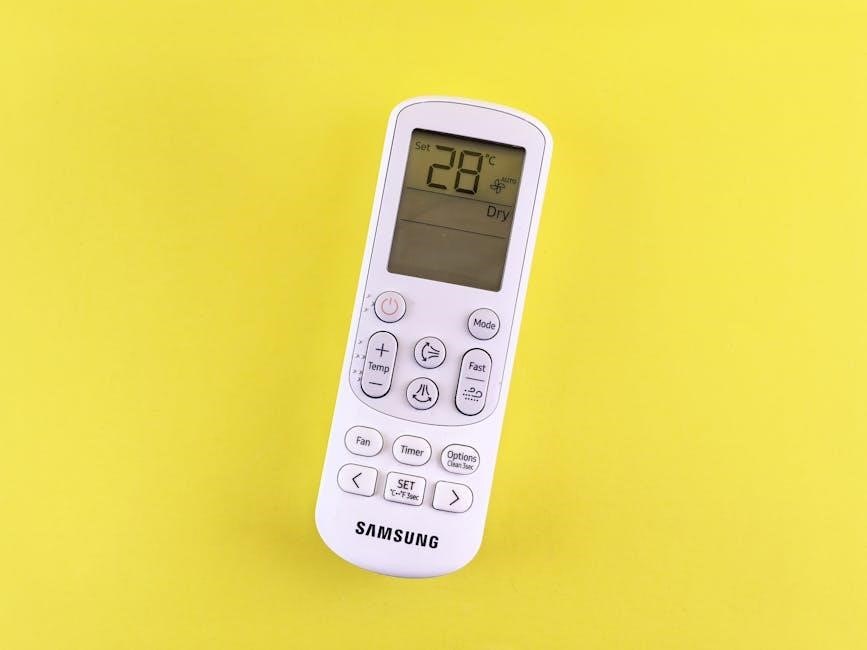
Daikin remote controls‚ while varying slightly by model‚ generally share a consistent layout. The upper section typically houses the power button‚ mode selection (Auto‚ Cool‚ Heat‚ Dry‚ Fan)‚ and fan speed controls. A central display shows the set temperature and operational status. Below this‚ you’ll find temperature adjustment buttons‚ often with up/down arrows‚ and timer/clock setting options.
More advanced remotes‚ like the BRC1C62‚ include additional buttons for specialized functions and error code display. Familiarizing yourself with the button arrangement is key to efficient operation. The layout is designed for intuitive control‚ allowing users to quickly adjust settings and monitor the air conditioner’s performance. Understanding each section streamlines the user experience.
Button Functions: Power‚ Mode‚ Fan Speed
The Power button initiates or terminates air conditioner operation. The Mode button cycles through available settings: Auto selects operation based on room temperature‚ Cool provides cooling‚ Heat delivers warmth‚ Dry reduces humidity‚ and Fan circulates air without temperature adjustment.
Fan Speed controls airflow intensity‚ typically offering options like Auto‚ Low‚ Medium‚ and High. These buttons directly influence comfort levels. Some models feature a ‘Jet’ or ‘Turbo’ mode for rapid temperature changes. Proper utilization of these functions optimizes performance and energy efficiency. Understanding each button’s role ensures precise control over your Daikin air conditioning system.

Temperature Adjustment and Display
The Temperature Adjustment buttons‚ typically marked with up and down arrows‚ modify the desired room temperature. The display shows both the set temperature and the current room temperature. In the ARC433A series‚ temperature display sections on the main unit indicate corresponding codes – caution is advised.
The remote’s display provides crucial feedback‚ showing the selected mode‚ fan speed‚ and timer settings. Accurate temperature setting is vital for comfort and energy conservation. Ensure the displayed temperature aligns with your preference. Some models offer temperature display in Celsius or Fahrenheit. Regularly check the display for error codes‚ indicating potential issues requiring attention.

Timer and Clock Settings
Daikin remotes offer versatile Timer and Clock Settings for automated operation. The ‘Timer’ function allows scheduling the air conditioner to turn on or off at specific times‚ enhancing convenience and energy efficiency. Setting the correct clock is crucial for accurate timer operation.
Typically‚ dedicated buttons control timer setup‚ allowing programming of ‘On’ and ‘Off’ times. Some models support multiple timer settings for different days of the week. The remote display clearly indicates when the timer is active. Proper timer configuration minimizes energy waste and ensures a comfortable environment. Refer to your specific model’s instructions for detailed timer programming steps.
Programming a Universal Remote for Daikin
Using a universal remote with your Daikin air conditioner offers convenience if the original is lost or malfunctioning. Programming a Universal Remote for Daikin requires finding the correct code for your specific Daikin model. Numerous online resources and the universal remote’s manual provide Daikin remote control codes‚ often categorized by three-digit sequences for brands like Wellclima and Superior AirCo.
The process generally involves entering the code following the remote’s instructions. If the initial code doesn’t work‚ try alternative codes listed for Daikin. Successful programming is indicated by the air conditioner responding to the universal remote’s commands. Troubleshooting compatibility issues may require trying multiple codes or consulting the remote’s support documentation.
Daikin Remote Control Codes for Universal Remotes
Finding the correct Daikin remote control codes is crucial for successful universal remote programming. These codes enable communication between the universal remote and your Daikin air conditioning unit. Typically‚ these are three-digit codes‚ varying depending on the universal remote brand – Wellclima Smart and Superior AirCo are examples where specific Daikin codes are listed.
Online databases and your universal remote’s manual are primary sources for these codes. It’s common to find multiple codes listed for Daikin‚ requiring a trial-and-error approach. If the first code doesn’t work‚ systematically test others until you find one that controls your AC unit’s basic functions like power and temperature.
Step-by-Step Programming Instructions
Programming a universal remote for your Daikin AC generally involves these steps: First‚ power on your Daikin unit. Then‚ on the universal remote‚ press the “Setup” or “Code Search” button. Enter the Daikin code you obtained from the code list (try multiple if the first fails). The remote will typically indicate success with a light or on-screen message.
If automatic code search is available‚ follow the remote’s instructions‚ usually involving cycling through codes while pointing at the AC unit. Test functionality – power on/off‚ temperature adjustment‚ and mode changes. If any function fails‚ repeat the process with a different Daikin code. Refer to your universal remote’s manual for specific button names and procedures.
Troubleshooting Universal Remote Compatibility
If your universal remote isn’t working with your Daikin AC‚ first ensure you’ve entered the correct code. Try multiple Daikin codes from the list‚ as one might work better than others. Verify the remote’s batteries are fresh and properly installed. Point the remote directly at the Daikin unit’s sensor‚ ensuring no obstructions are present.
Some older Daikin models may not be fully compatible with all universal remotes. If issues persist‚ consult your universal remote’s manufacturer’s website for updated code lists or compatibility information. Consider checking online forums for user experiences with specific remote/Daikin combinations. A faulty remote sensor on the AC unit could also be the cause.
Decoding Daikin Error Codes on the Remote
Daikin air conditioners utilize error codes to signal malfunctions‚ often displayed via the remote control’s operation LED blinking or directly on the remote’s display. These codes provide valuable diagnostic information. Common errors include issues with the room temperature thermistor‚ a defective remote control PCB‚ or external interference causing operational problems.
The wireless remote controller (like BRC1C62) can receive error codes from the indoor unit‚ indicating specific faults. Understanding these codes allows for targeted troubleshooting. For instance‚ a blinking LED might signify a communication error or a sensor failure. Refer to your Daikin unit’s service manual for a complete list of error codes and their corresponding solutions.
Common Error Codes and Their Meanings
Daikin error codes offer crucial insights into system malfunctions. A defective room temperature thermistor in the remote controller often presents as a specific code‚ indicating inaccurate temperature readings. PCB failures within the remote itself can also trigger error displays. External factors‚ like electrical noise‚ may cause intermittent errors.
While specific codes vary by model‚ common issues include communication errors between the indoor and outdoor units‚ refrigerant leaks‚ or fan motor problems. The remote’s operation LED blinking pattern‚ or a numerical code on the display‚ corresponds to a defined fault. Consulting the Daikin service manual is essential for accurate interpretation and resolution of these error signals.
Error Code Display on the Remote Control
Daikin air conditioners utilize the remote control as a primary interface for displaying error codes‚ providing users with immediate feedback on system issues. When a malfunction occurs‚ the remote’s operation LED typically begins to blink in a specific pattern‚ signaling a problem. More advanced remote controllers‚ like the BRC1C62‚ directly display a numerical error code on the LCD screen.
This code offers a precise indication of the fault‚ allowing for targeted troubleshooting. The display might show a single digit or a combination of numbers and letters. It’s crucial to note the exact code as it’s essential for diagnosing the issue and potentially contacting a qualified technician for repair.
What to Do When an Error Code Appears
Upon observing an error code on your Daikin remote‚ first‚ carefully record the code itself. Attempt a simple reset of the unit by switching it off via the remote‚ waiting a few minutes‚ and then powering it back on. This can resolve temporary glitches. If the error persists‚ consult your Daikin air conditioner’s comprehensive manual – it contains a detailed list of error codes and suggested solutions.
For more complex issues‚ or if you’re uncomfortable troubleshooting yourself‚ it’s best to contact a qualified HVAC technician. Providing them with the error code will significantly expedite the diagnostic process. Avoid attempting repairs yourself‚ as this could void your warranty or cause further damage.
Resetting Your Daikin Remote Control
Unlike many devices‚ Daikin remotes typically don’t feature a dedicated reset button. Instead‚ a functional reset is often achieved by simply removing the batteries from the remote control for several minutes. This allows any stored memory or temporary glitches to clear. Reinsert the batteries‚ ensuring correct polarity‚ and then attempt to re-establish communication with the air conditioning unit.
Resetting is particularly useful when the remote exhibits erratic behavior‚ such as incorrect display readings or unresponsive buttons. If the issue persists after a battery removal reset‚ consider checking the batteries themselves for sufficient charge. A complete power cycle of the air conditioner unit alongside the remote reset can also be beneficial.
Methods for Resetting the Remote
The primary method for resetting a Daikin remote involves a simple battery removal process. Begin by locating the battery compartment‚ usually on the back or bottom of the remote. Carefully remove all batteries‚ observing the correct polarity markings (+ and -). Allow the remote to remain without batteries for approximately 5-10 minutes to fully discharge any residual power.
After the waiting period‚ reinsert the batteries‚ ensuring they are correctly aligned with the polarity indicators. Attempt to power on the air conditioner using the remote. If this doesn’t resolve the issue‚ repeat the process. Some users report success with a slightly longer battery removal duration. This method effectively clears temporary memory and often restores functionality.
When to Reset the Remote Control
A Daikin remote reset is beneficial when experiencing unresponsive buttons‚ erratic behavior‚ or a failure to connect with the air conditioning unit. If the remote displays incorrect information‚ such as a frozen screen or garbled characters‚ a reset can often rectify the issue. Similarly‚ if the remote isn’t responding after a power outage or battery change‚ attempting a reset is a logical first step.
Consider resetting if you suspect interference from other electronic devices. Before resorting to a reset‚ ensure fresh batteries are installed. If the problem persists‚ a reset clears temporary glitches and restores the remote to its default settings‚ potentially resolving the connectivity or operational problems.
Troubleshooting After a Reset
Following a reset‚ verify the remote re-establishes communication with the Daikin AC unit. If it doesn’t‚ ensure the unit is powered on and within range. Re-pair the remote if necessary‚ consulting your AC’s main manual for specific pairing instructions. Check battery polarity and charge; low batteries can mimic operational failures even post-reset.

If issues persist‚ examine the remote’s display for error codes. These codes‚ as detailed in the manual‚ can pinpoint specific problems. A defective room temperature thermistor within the remote or a faulty PCB might be the cause. If the remote still malfunctions‚ consider testing with a universal remote to isolate whether the issue lies with the Daikin remote itself.
Advanced Features and Functions
Daikin remote controls offer features beyond basic operation. The BRC1C62 wireless remote controller provides detailed system monitoring and control‚ including malfunction code display via its operation LED. The ARC433A series remotes utilize temperature codes on the indoor unit for precise adjustments‚ though caution is advised during operation.
Furthermore‚ the remote can aid in fault diagnosis by receiving error codes directly from the indoor unit‚ allowing for quicker identification of issues. Understanding these advanced functions empowers users to optimize performance and proactively address potential problems. These features enhance user experience and contribute to efficient climate control within the Daikin system.
Wireless Remote Controller Operation (BRC1C62)
The BRC1C62 wireless remote controller is a sophisticated interface for Daikin air conditioning systems. In the event of a malfunction‚ the remote’s operation LED will blink‚ simultaneously displaying a specific malfunction code. This code provides crucial diagnostic information‚ aiding in pinpointing the source of the problem within the system.
Users can interpret these codes to understand the nature of the issue‚ potentially resolving it independently or providing technicians with valuable insights. The BRC1C62 offers enhanced control and monitoring capabilities‚ going beyond standard temperature and fan speed adjustments‚ making it a powerful tool for optimal system performance and maintenance.
ARC433A Series Remote Controller Temperature Codes
Within the ARC433A series remote controller‚ the temperature display on the indoor unit isn’t simply showing degrees; it’s communicating specific codes. These codes represent internal system states and can be vital for diagnosing operational issues. Caution is advised when interpreting these codes‚ as they require a thorough understanding of the Daikin system’s functionality.
Depressing certain buttons in sequence can trigger the display of these codes‚ offering technicians a deeper level of insight than a standard error message. Understanding these temperature-related codes allows for more precise troubleshooting and efficient repairs‚ ultimately ensuring optimal performance and longevity of the Daikin air conditioning unit.
Using the Remote for Fault Diagnosis
The Daikin remote control isn’t just for adjusting temperature; it’s a valuable tool for initial fault diagnosis. The remote can receive relevant error codes directly from the indoor unit‚ providing crucial information about the nature of the problem. Observing the remote’s display‚ particularly any blinking lights or specific code sequences‚ can pinpoint the source of the malfunction.
This allows for a preliminary assessment before calling a technician‚ potentially saving time and expense. By carefully noting the error code displayed‚ you can provide a more accurate description of the issue‚ facilitating a faster and more effective repair process. Remember to consult the full error code list for detailed explanations.
Troubleshooting Common Remote Control Issues
Encountering issues with your Daikin remote is common. If the remote control isn’t working‚ first check the batteries‚ ensuring they are correctly installed and have sufficient charge. If it’s not connecting‚ ensure there’s a clear line of sight between the remote and the indoor unit’s sensor‚ and eliminate potential interference.
Display issues‚ like a blank screen‚ often indicate low batteries or a faulty remote PCB. A defective room temperature thermistor within the remote can also cause problems. Before assuming a major fault‚ try resetting the remote. If problems persist‚ consider a universal remote as a temporary solution while seeking professional repair or replacement.

Remote Control Not Working
If your Daikin remote isn’t responding‚ begin with the simplest checks. First‚ verify the batteries are fresh and correctly inserted‚ paying attention to polarity. A weak signal is a frequent culprit. Next‚ ensure there’s a clear‚ unobstructed path between the remote and the air conditioner’s indoor unit sensor.
Obstructions or interference can prevent communication. Try moving closer to the unit. If the issue persists‚ inspect the remote’s circuit board for visible damage. A defective remote PCB could be the cause. Finally‚ consider if external noise might be interfering with the signal; in such cases‚ professional diagnosis is recommended.
Remote Control Not Connecting
When your Daikin remote fails to connect‚ initial troubleshooting involves confirming battery functionality and proper insertion. Ensure no physical obstructions block the signal path between the remote and the indoor unit’s receiver; Interference from other electronic devices can also disrupt connectivity; try relocating or temporarily switching off nearby electronics.
A defective room temperature thermistor within the remote itself can sometimes cause connection issues. More seriously‚ a faulty remote control PCB might be the root cause‚ requiring professional repair or replacement. If the indoor unit displays a malfunction code‚ consult the error code section of this manual for further guidance.
Display Issues on the Remote Control
If the display on your Daikin remote is malfunctioning – showing faded characters‚ blank screens‚ or erratic symbols – begin by checking the battery level. Low batteries are a frequent cause of display problems. Attempt a remote reset‚ as outlined in the ‘Resetting Your Daikin Remote Control’ section‚ to see if this resolves the issue.
Internal component failure within the remote’s PCB could also be responsible. Inspect the display connector for any signs of corrosion or damage. If the problem persists after these checks‚ the remote may require professional repair or replacement. Note that external factors‚ like electrical noise‚ can occasionally cause temporary display glitches.
Remote Control Maintenance and Care
Proper maintenance extends the life of your Daikin remote. Regularly replace the batteries – use the correct type as specified in the manual – to prevent potential leakage that can damage internal components. Clean the remote with a soft‚ dry cloth; avoid using liquids or abrasive cleaners.
Protect the remote from physical damage‚ such as drops or excessive pressure. Store it in a safe‚ dry location when not in use. Avoid exposing it to extreme temperatures or direct sunlight. Periodically inspect the battery compartment for corrosion. Following these simple steps ensures reliable operation and minimizes the need for premature replacement.
Battery Replacement and Type
Maintaining optimal battery power is crucial for consistent remote operation. Daikin remotes typically require AAA or AA batteries‚ though the specific type is indicated inside the battery compartment or in your unit’s manual. Always use fresh batteries and avoid mixing old and new ones.
When replacing batteries‚ ensure correct polarity (+ and -) alignment. If the remote has been unused for an extended period‚ remove the batteries to prevent leakage. Dispose of used batteries responsibly‚ following local regulations. Low battery power can cause erratic behavior or a complete loss of function‚ so regular checks are recommended.
Cleaning the Remote Control
Regular cleaning extends the life of your Daikin remote and ensures reliable operation. Before cleaning‚ remove the batteries to prevent accidental activation. Use a soft‚ dry cloth to wipe the exterior surface‚ removing dust and fingerprints. For stubborn dirt‚ lightly dampen the cloth with water‚ but avoid getting moisture into the openings.
Do not use abrasive cleaners‚ solvents‚ or strong detergents‚ as these can damage the plastic casing and buttons. A cotton swab dipped in isopropyl alcohol can be used to carefully clean around the buttons. Ensure the remote is completely dry before reinserting the batteries. Proper cleaning prevents sticky buttons and maintains clear visibility of the display.
Preventing Damage to the Remote Control
Protecting your Daikin remote from damage ensures long-term functionality. Avoid dropping the remote‚ as internal components are sensitive to impact. Keep it away from direct sunlight and extreme temperatures‚ which can warp the plastic and affect battery life. Do not expose the remote to liquids; even a small spill can cause corrosion and malfunction.
Store the remote in a safe‚ dry place when not in use‚ such as a drawer or on a stable surface. Avoid placing heavy objects on top of it. Regularly check the battery compartment for corrosion and clean if necessary. Careful handling and storage will significantly reduce the risk of damage and costly replacements.